← Changelog
v0.27.0September 2, 2026
Pod Container File Browser
This release adds a IDE-style file browser for pod containers, plus a smarter "Referenced By" command palette and a new PriorityClass resource view.
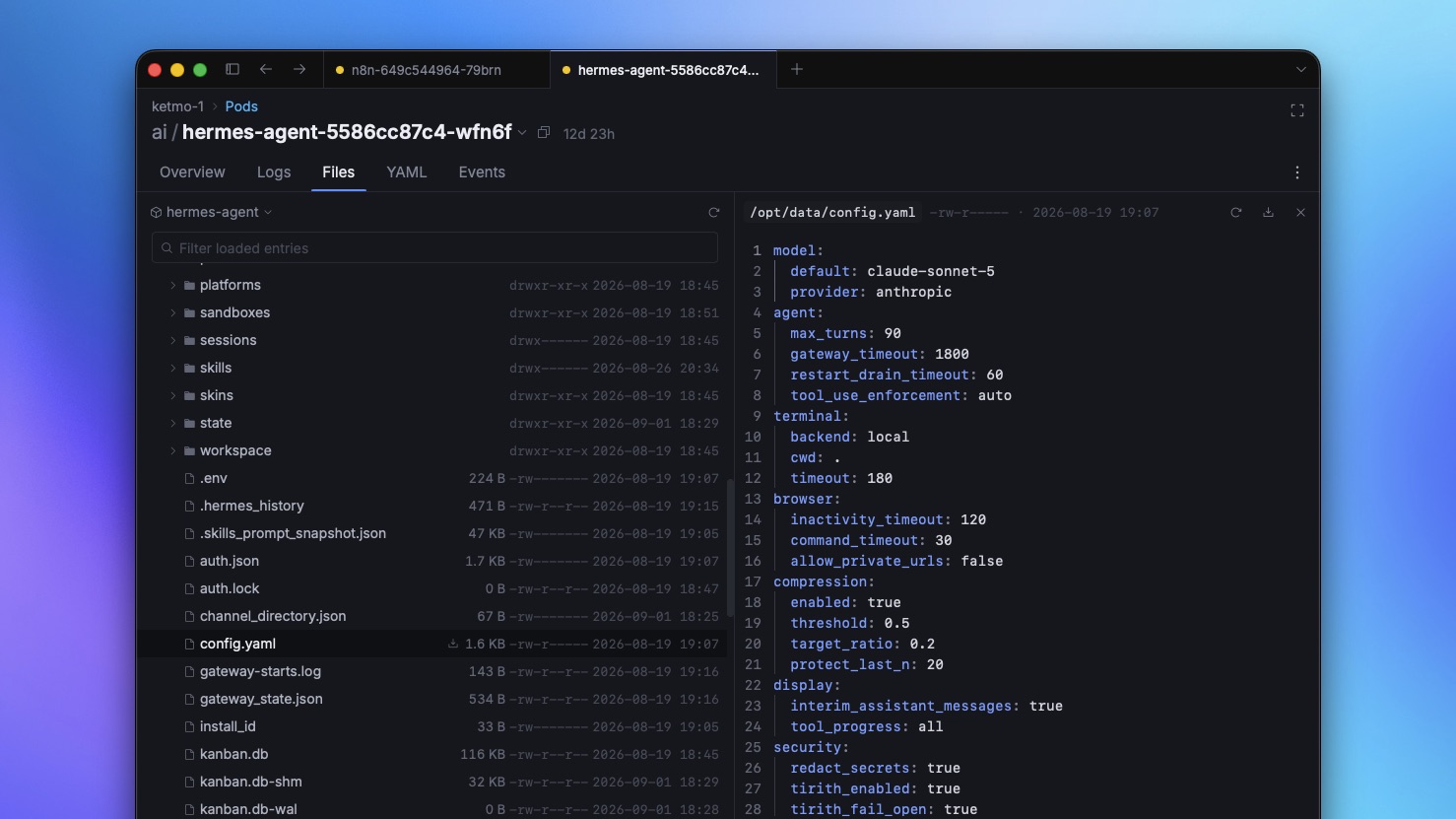
📁 Container File Browser
- New Files tab on the Pod page — browse any container's filesystem as a lazy-loaded tree, with an IDE-style split view: folders and files on the left, a preview pane on the right.
- Preview text files inline, with binary files detected and shown as such instead of garbled content.
- Download any file or directory out of a container, including symlinked directories, straight to disk.
- Deep-link support: open a Files tab pointed at a specific container and file, with the tree scrolled and the file selected automatically.
- Keyboard shortcuts for common tree actions (download, refresh), a dedicated filter row, and an entry point from mount rows, the container menu, and the command palette.
- This is a first version — keyboard navigation, more shortcuts, and file upload are on the roadmap.
🔗 "Referenced By" in the Command Palette
- New "Go to Referenced By…" command surfaces every resource that references the one you're on (e.g. which Pods use a given PriorityClass or ConfigMap), reachable straight from the palette.
✨ PriorityClass Resource
- PriorityClasses are now a first-class resource — listed in the sidebar with Global Default and Preemption Policy columns, and a Pod → PriorityClass relation surfaced on the Pod overview.
🧹 Misc / Chore
- Bumped Go and frontend dependencies.